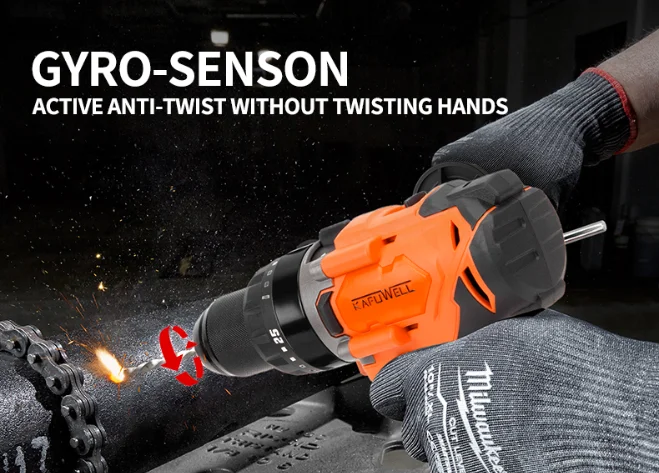
Getting started with power tools can feel overwhelming. Many tools look similar, have nearly identical names, and share the same appearance. If you own a set that includes an impact drill, an impact driver, and a hammer drill, you’ve probably wondered: “What’s the difference between these tools?”
This article will break it down in simple language—explaining the features, working principles, and best uses of each one.

What Is an Impact Drill?
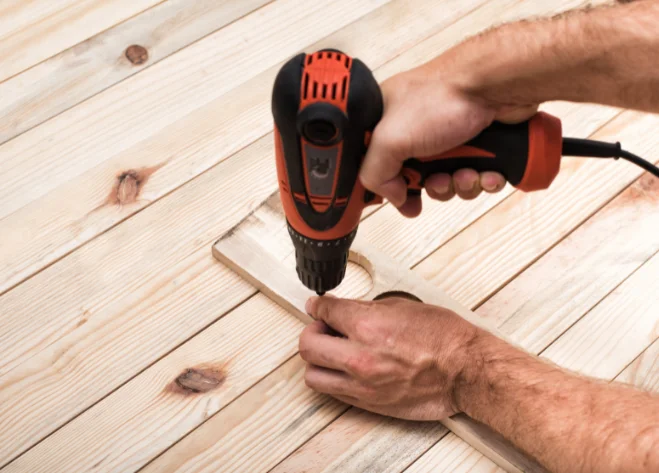
The impact drill is the most common of the three. It’s used to drill holes in wood, drywall, or metal, and can also drive screws. Its strength lies in precision and control.
Key Features
- Variable speed control: makes it easy to start slowly or adjust speed depending on the material.
- Torque adjustment (clutch): helps prevent screws from stripping or damaging soft wood.
Common Uses
- Hanging shelves
- Assembling furniture
- Everyday home repairs
Almost every light-duty task can be done with an impact drill.
What Is an Impact Driver?
An impact driver looks like a short, stocky drill, but it works very differently. Instead of smooth, steady rotation, it delivers rapid, continuous rotational impacts to produce high torque—like spinning while being hammered.
How It Works
- Uses a spring-loaded impact mechanism, producing up to 50 mini-impacts per second.
- Has no clutch—just raw speed and torque.
Best Uses
- Driving long screws or thick bolts
- Working in dense hardwood or knotty lumber
- Installing large numbers of fasteners, such as when building decks or fences
The impact driver is designed for efficient, heavy fastening tasks.
What Is a Hammer Drill?
A hammer drill looks almost identical to a standard drill but has a hidden “extra feature.” When you need to drill into concrete, brick, or stone, switch on the hammer mode. The tool combines rotation with an up-and-down hammering action, acting like a drill plus a mini jackhammer.
Advantages
- Clears away debris from hard surfaces while drilling
- Allows bits to penetrate materials a normal drill cannot
- Perfect for making holes in concrete, brick, or stone
With hammer mode turned off, it functions just like a standard drill.
Tool Structure and Key Features
Power tools often include unique designs. Here are the most important differences:
Chuck, Collet, and Bit Types
- Chuck: Found on impact drills and hammer drills, used to secure drill bits.
- Collet: The quick-change interface on impact drivers.
Comparison
- Impact Drill & Hammer Drill → Usually feature a keyless chuck, compatible with both round and hex-shank bits, offering flexibility.
- Impact Driver → Uses a quick-change collet, only supports hex-shank bits, and saves time with fast bit changes.
Clutch (Torque Control)
- Impact Drill & Hammer Drill: Have an adjustable clutch that controls torque, disengaging when resistance is too high.
- Prevents screws from snapping or stripping
- Protects soft materials from damage
- Impact Driver: No clutch—focused entirely on power and efficiency rather than fine control.
Gearbox and Modes
- Impact Drill & Hammer Drill: Usually come with 2–5 speed settings.
- Low speed + high torque → screwdriving
- High speed + low torque → drilling
- Hammer Drill: Includes an extra hammer mode that can be turned on and off.
- Impact Driver: No clutch, no multiple speeds—lightweight, designed purely for fastening.
When to Use Impact Drills, Impact Drivers, and Hammer Drills
Best Situations for an Impact Drill
- Precision tasks: hanging pictures, assembling furniture
- Driving small screws or working with soft materials
- Using different drill bits (small or large holes)
- Household repairs: installing shelves, curtain rods, cabinet hardware
Best Situations for an Impact Driver
- Driving large volumes of screws quickly
- Building decks, fences, or garden frames
- Working in hardwood or knotty areas
- Handling structural bolts or lag screws
Common Impact Driver Projects
- Deck and fence construction
- Outdoor playsets
- Subfloor installation
- Wooden planter boxes
Best Situations for a Hammer Drill
- Drilling into concrete, brick, stone, or block
- Installing anchors or mounting shelves on masonry walls
- Making holes for pipes or electrical wiring
Tip: Turn hammer mode off to use it as a standard drill.
Quick Comparison Table
| Tool | Main Function | Best Uses | Compatible Bits | Torque/Speed Control |
| Impact Drill | Drilling, screwdriving | Precision, small screws, home repairs | Round & hex bits | Clutch + variable speed |
| Impact Driver | Fastening screws/bolts | Long screws, hardwood, high-volume fastening | Hex-shank only | None (max torque only) |
| Hammer Drill | Drilling + hammering | Concrete, masonry, stone | Round, hex, masonry bits | Clutch + variable speed + hammer mode |
Building Your Toolkit: Key Takeaways
- Impact Drill → Best for light to medium tasks, offering precision and control.
- Impact Driver → Excels with hard materials and bulk fastening—powerful and efficient.
- Hammer Drill → Essential for masonry, brick, and concrete work.
Understanding the differences among these three tools helps you avoid mistakes and finish projects faster.
Quick Reference: Tool-to-Task Match
- Choose an Impact Drill: home repairs, furniture assembly, light DIY
- Choose an Impact Driver: decks, fences, heavy woodworking, structural screws
- Choose a Hammer Drill: drilling into masonry, brick, stone, or concrete
Conclusion
If you’re looking for tools that combine durability, performance, and thoughtful design, explore the range of Kafuwell power tools. Whether you’re working on a concrete wall or building furniture, we provide reliable equipment to handle every challenge with confidence.